
My Team
See your team at a glance, keep records of meetings, and set objectives.
Line managersSuperadmins
Your team list
Press My Team at the top. The Team tab lists the people who report to you directly.
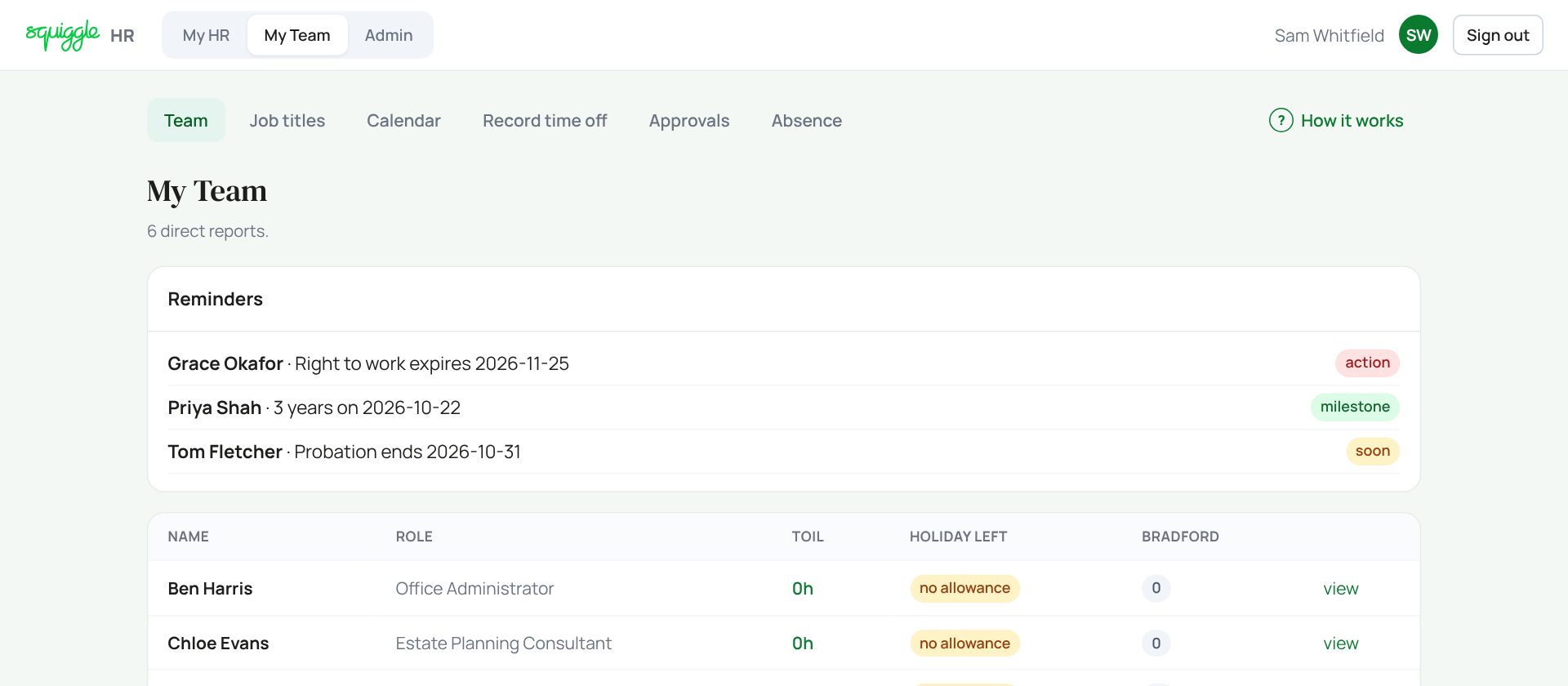
Reminders flag three things: probation ending in the next 60 days, right to work expiring in the next 90 days, and work anniversaries in the next 30 days.
- TOIL: their approved balance.
- Holiday left: this leave year. no allowance means none is set here: a superadmin sets it on their record in Admin → People (people whose leave is in BrightPay, or who are self-employed, will show it too).
- Bradford: their sickness score. Amber from 50, red from 200. See Absence.
Press view to open someone.
One person’s page
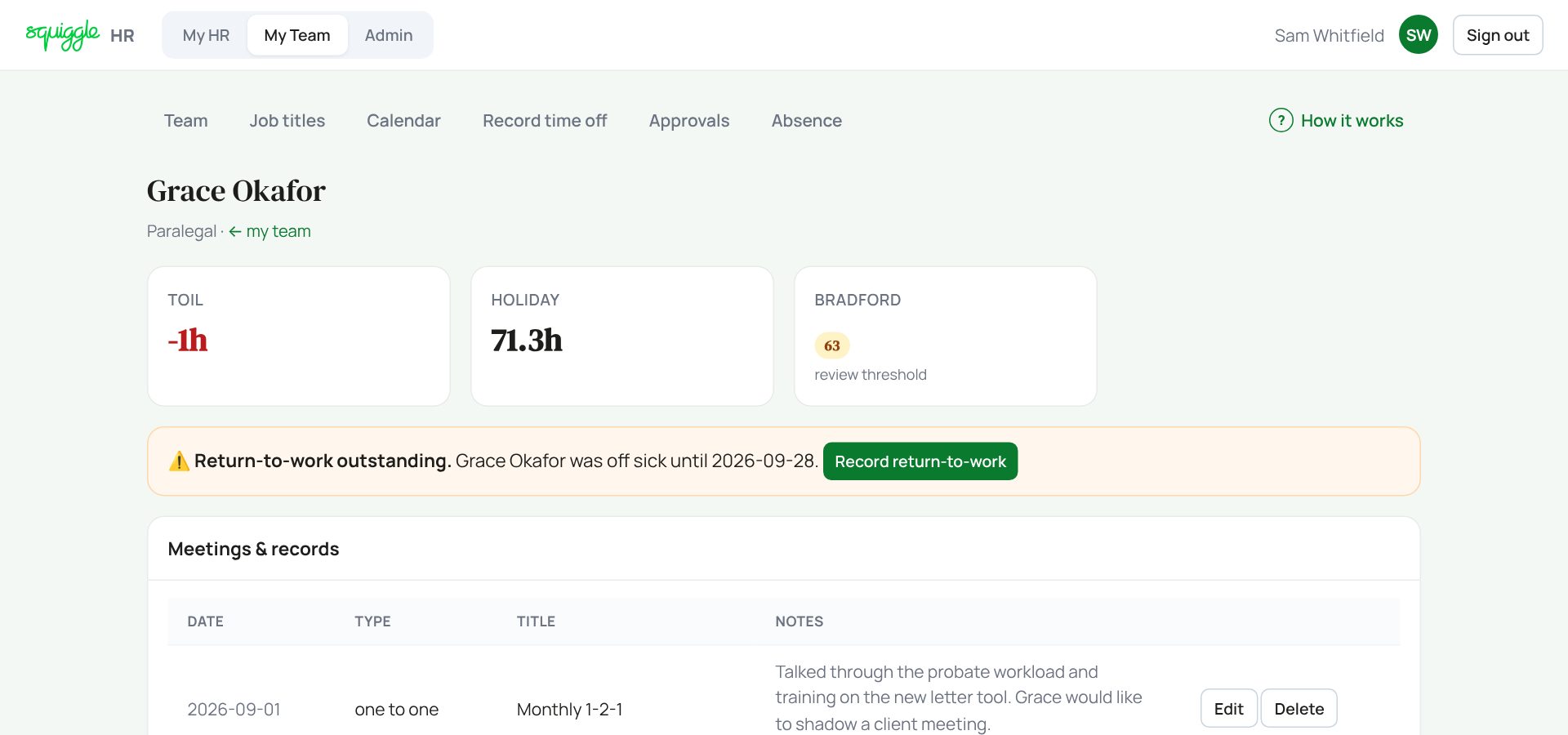
If someone has been off sick and there is no return to work record dated on or after their last sick day, an orange box says so. Press Record return-to-work: it fills in the form below for you.
Recording a meeting
- Under Add a record, pick the type: Supervision, 1-2-1, Return to work, Disciplinary, Wellbeing or Other note.
- Check the date.
- Choose who can know about it: Visible to employee or Manager-only. Picking Disciplinary switches it to Manager-only for you.
- Add a title, your notes, and any outcome or actions.
- Press Save record.
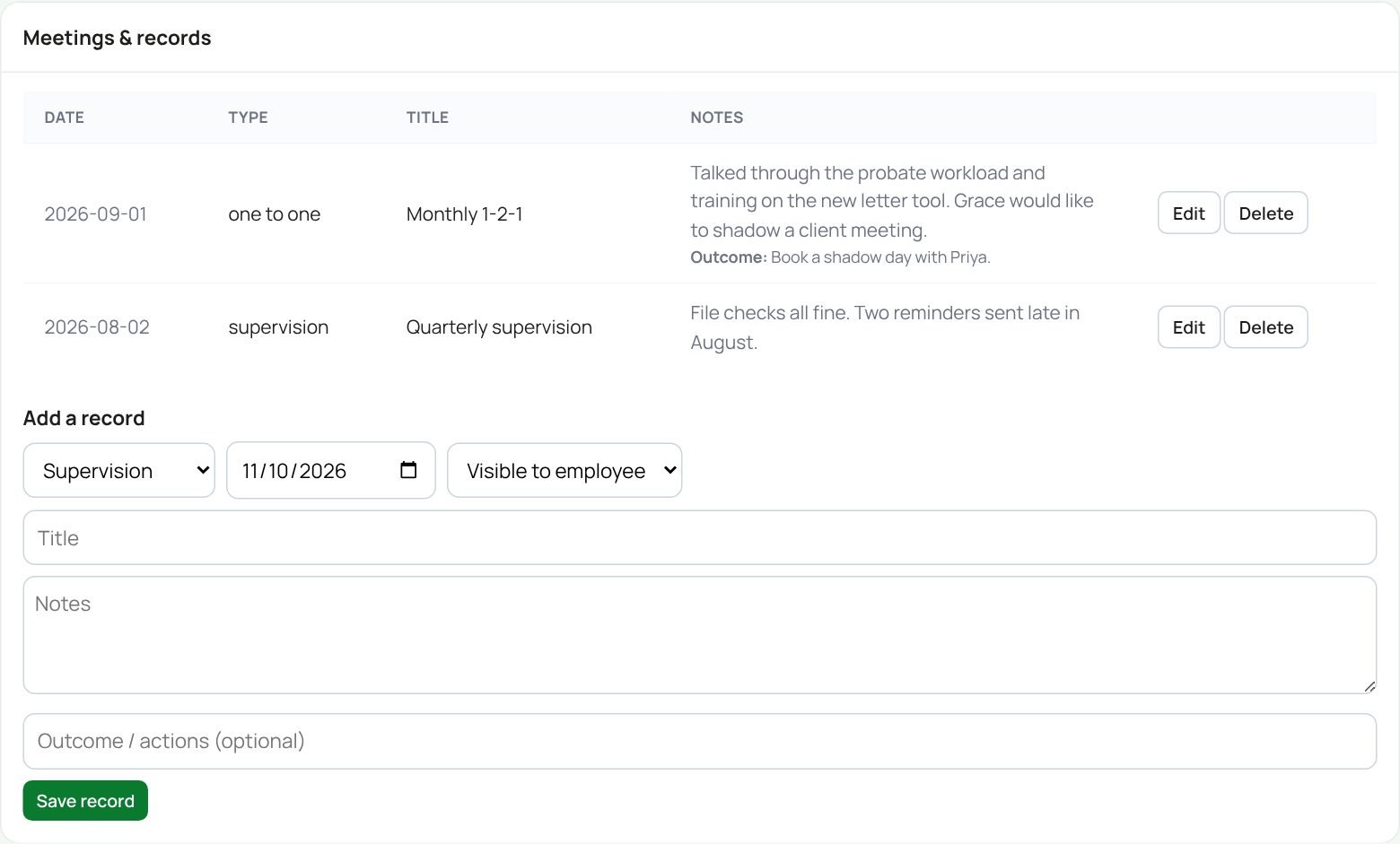
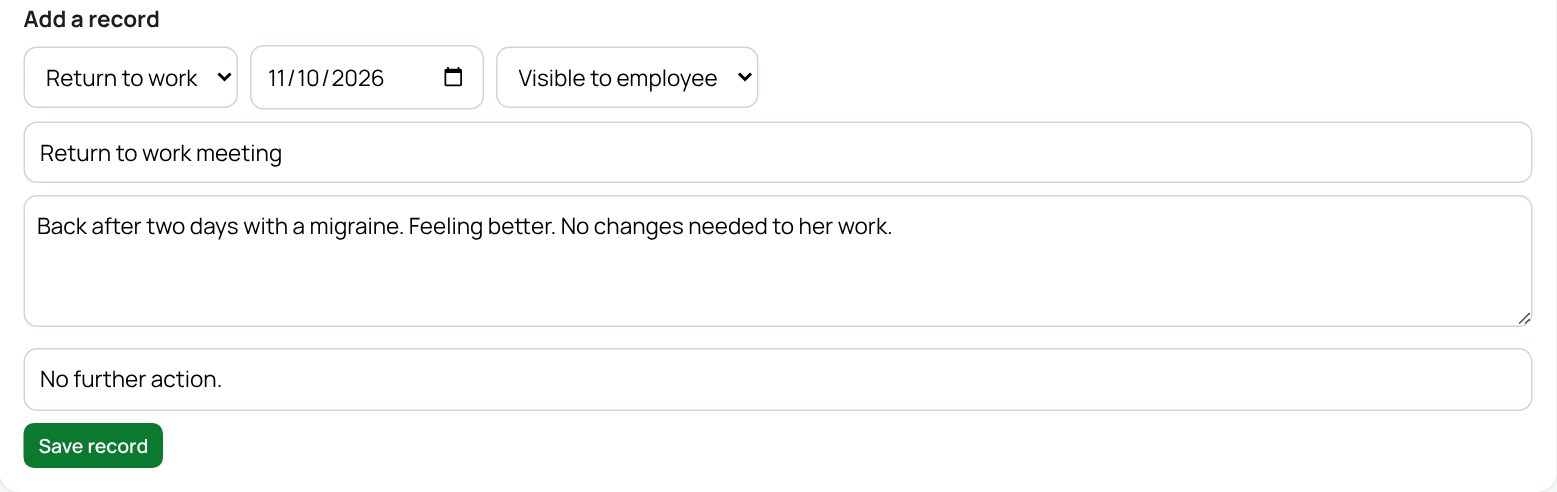
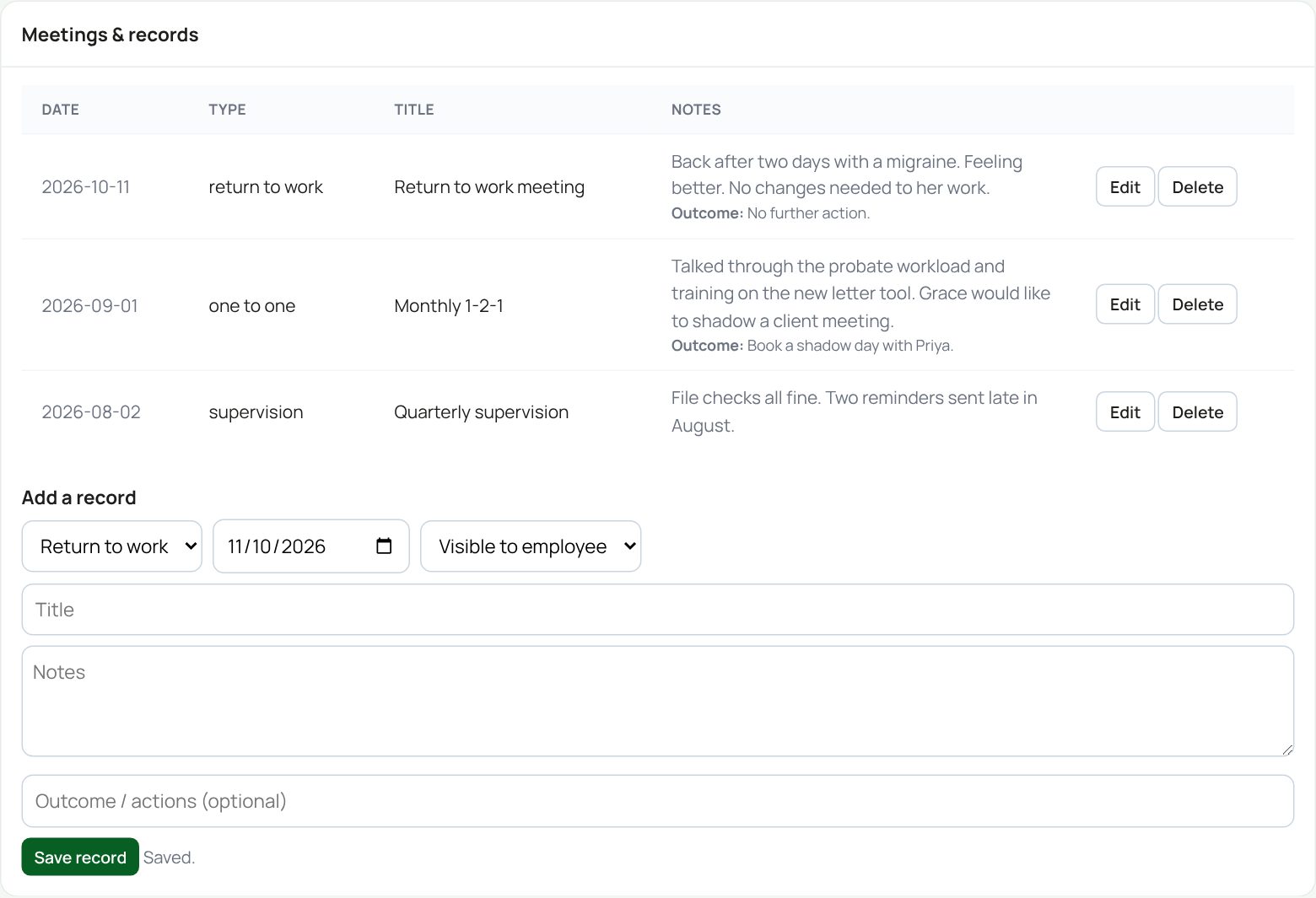
For a Visible to employee record, the person gets an email saying a record was added. Manager-only records send nothing. To change a record press Edit: the form fills in and the button becomes Update record. Delete asks first.
Notes and objectives
- Pick Note, Objective or Goal.
- Type a title (you must), a due date if there is one, and any detail.
- Press Add.
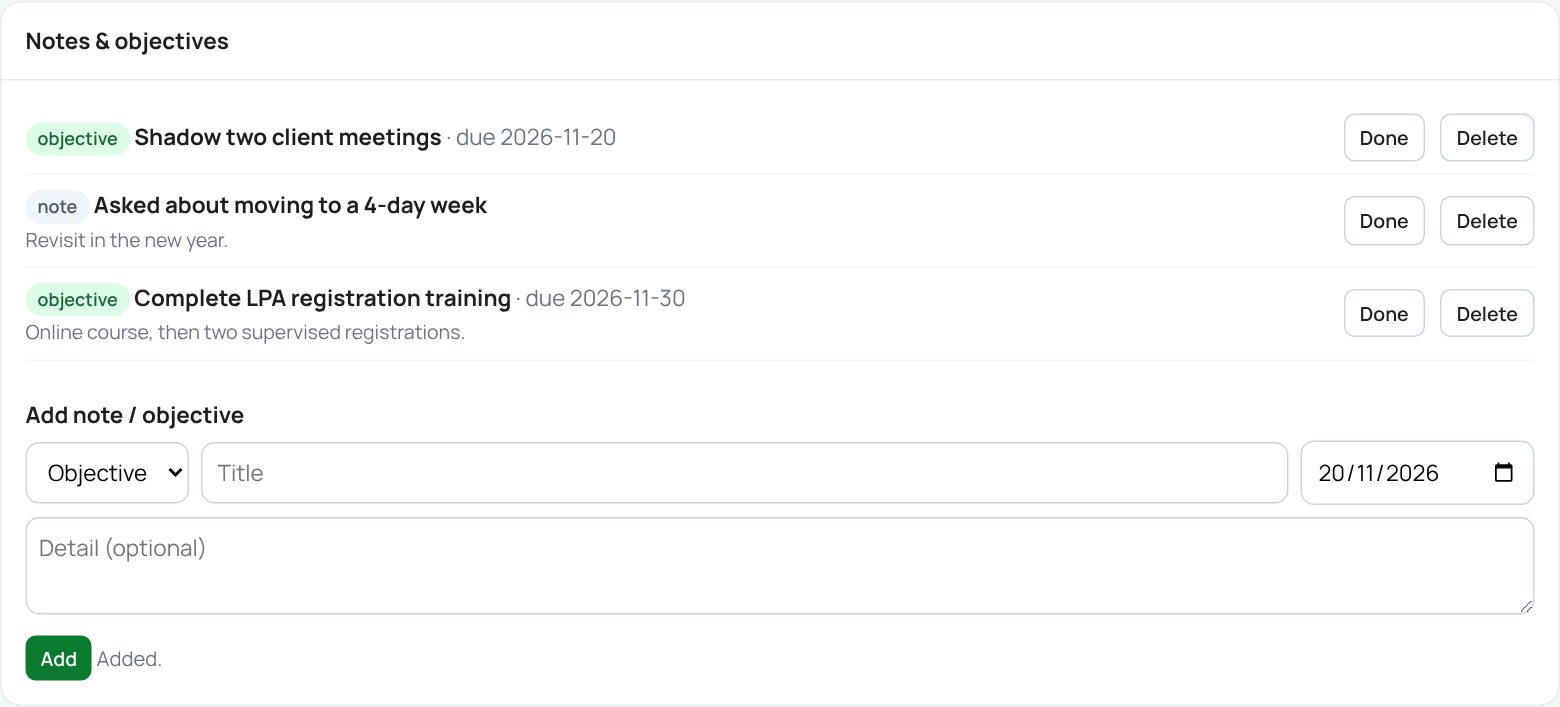
Delete here removes the note straight away, without asking.
Documents and signatures
The Documents box works like My documents: you can open and upload documents for the people you manage. Superadmins and recruiters also see For signature: see Templates and e-signing.
If something goes wrong
- “No direct reports assigned to you yet”: a superadmin sets reporting lines in Admin → People.
- Someone is missing: only direct reports appear, even for superadmins.
If the page says Something went wrong or a red Error: message appears, nothing has been saved. Reload the page and try once more. If it happens again, press Report a problem and copy the message into it.
Something here does not match what you see? Use the Report a problem button in the corner of the HR site and say which guide.