
Job titles
Correct the job titles of the people you manage.
Line managersSuperadmins
Fixing a title
Titles came across from our old system and may be out of date.
- Go to My Team and Job titles.
- Type a name in the search box to find someone quickly.
- Change the title in their box.
- Press Save on that row. Saved ✓ appears beside it.
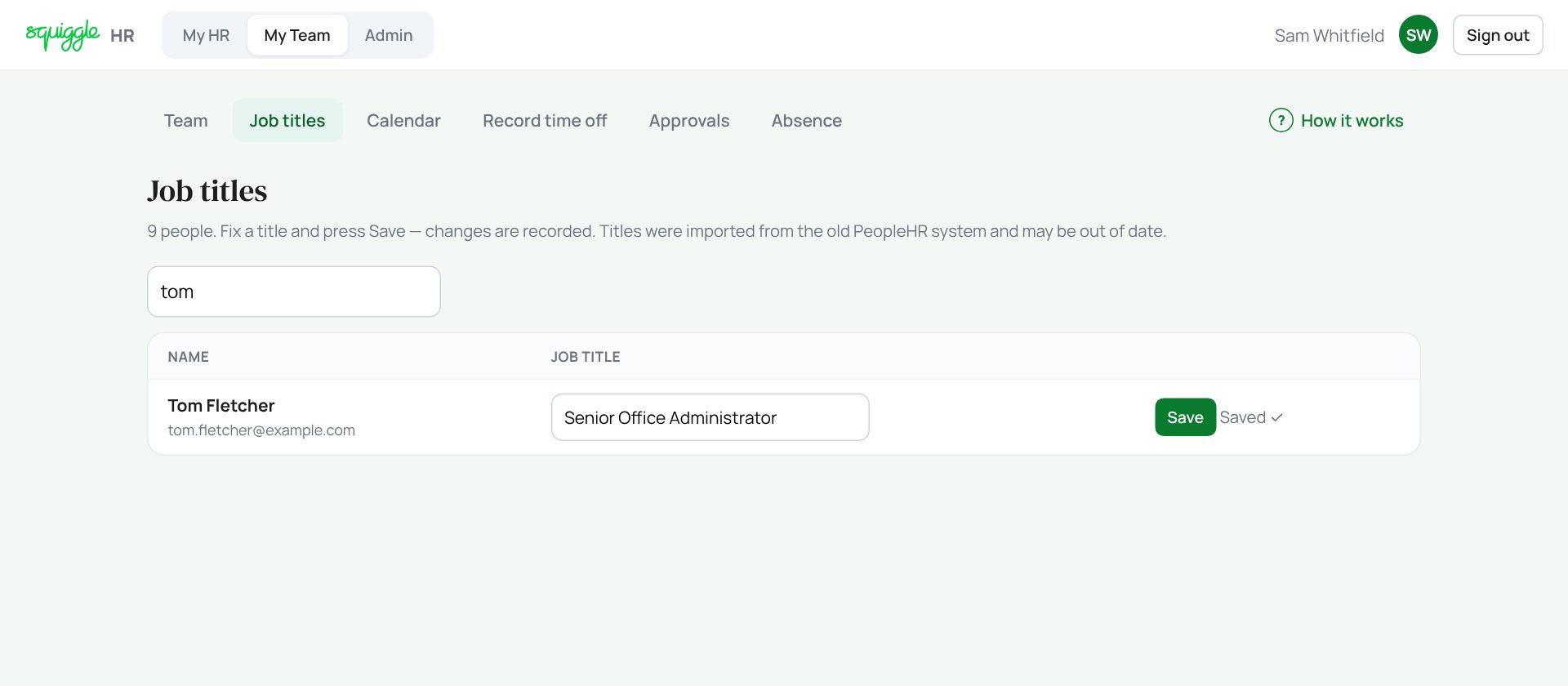
Each row saves on its own, so press Save on every row you change. Only the title changes here. Pay, roles and reporting lines are for a superadmin.
If something goes wrong
- “Enter a title”: the box cannot be empty.
- “No one reports to you yet”: a superadmin sets reporting lines in Admin → People.
If the page says Something went wrong or a red Error: message appears, nothing has been saved. Reload the page and try once more. If it happens again, press Report a problem and copy the message into it.
Something here does not match what you see? Use the Report a problem button in the corner of the HR site and say which guide.